jb-portal-url-brick
Copyright (C) 2022 Jeffrey Bostoen

 🍻 ☕
🍻 ☕
Need assistance with iTop or one of its extensions?
Need custom development?
Please get in touch to discuss the terms: info@jeffreybostoen.be / https://jeffreybostoen.be
What?
URL brick to use in the portal. Can be used to add any typical URI.
Screenshots
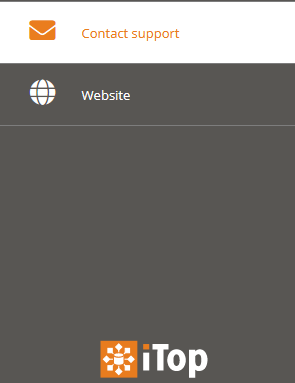
Here for example “Contact support” and “Visit website” are URL bricks.
Upon clicking “Contact support”, the user’s default e-mail client will open with the “To:” field prefilled.
Upon clicking “Visit website”, the organization’s homepage will be shown.
Cookbook
XML:
- Nothing
PHP:
- Implement a new brick
How to add your own brick
Create a custom extension to customize the XML datamodel.
You can add multiple URL bricks.
Here’s an example of a “mailto:” link:
<?xml version="1.0" encoding="UTF-8"?>
<itop_design xmlns:xsi="http://www.w3.org/2001/XMLSchema-instance" version="1.6">
	<module_designs>
		<module_design id="itop-portal" xsi:type="portal">
			<bricks>
				<brick id="mailto-support" xsi:type="Combodo\iTop\Portal\Brick\UrlBrick" _delta="define">
					<active>true</active>
					<rank>
						<default>999</default>
					</rank>
					<width>4</width>
					<title>
						<default>Brick:Portal:MailToSupport:Title</default>
					</title>
					<description>Brick:Portal:MailToSupport:Title</description>
					<visible>
						<home>false</home>
					</visible>
					<decoration_class>
						<default>fa fa-globe fa-2x fa-fw</default>
					</decoration_class>
					<url>mailto:info@jeffreybostoen.be</url>
				</brick>
			</bricks>
		</module_design>
	</module_designs>
</itop_design>
Sponsor features
- Make URL open in new window (current limitation)